
If you manage WordPress websites for clients, chances are you’ve wished for a way to keep full control of the site without giving your client too much access. That’s where an agency-only admin role in WordPress comes in.
By default, WordPress treats all Administrators equally, but in an agency setup, that’s rarely ideal.
In this guide, we’ll cover:
- Why the default admin role doesn’t work for agencies
- The pitfalls of existing plugin-based solutions
- How to set up an agency-only admin role in WordPress (without code)
- How Agency Turbo makes it effortless
Why the Default WordPress Admin Role Falls Short for Agencies
Out of the box, WordPress offers a handful of roles: Subscriber, Contributor, Author, Editor, and Administrator.
But here’s the issue: when both your agency and your client have full Administrator access, you lose control. Your client can:
- Disable plugins your agency depends on
- Install conflicting tools or themes
- Accidentally (or deliberately) break things
That’s why agencies often need a higher-tier admin role – one reserved for internal use only.
Common Workarounds (and Why They’re Not Ideal)
Most agencies try one of the following:
- Use a role editor plugin to create a “super admin”
- Add custom roles manually via code
- Rely on plugin settings to restrict capabilities
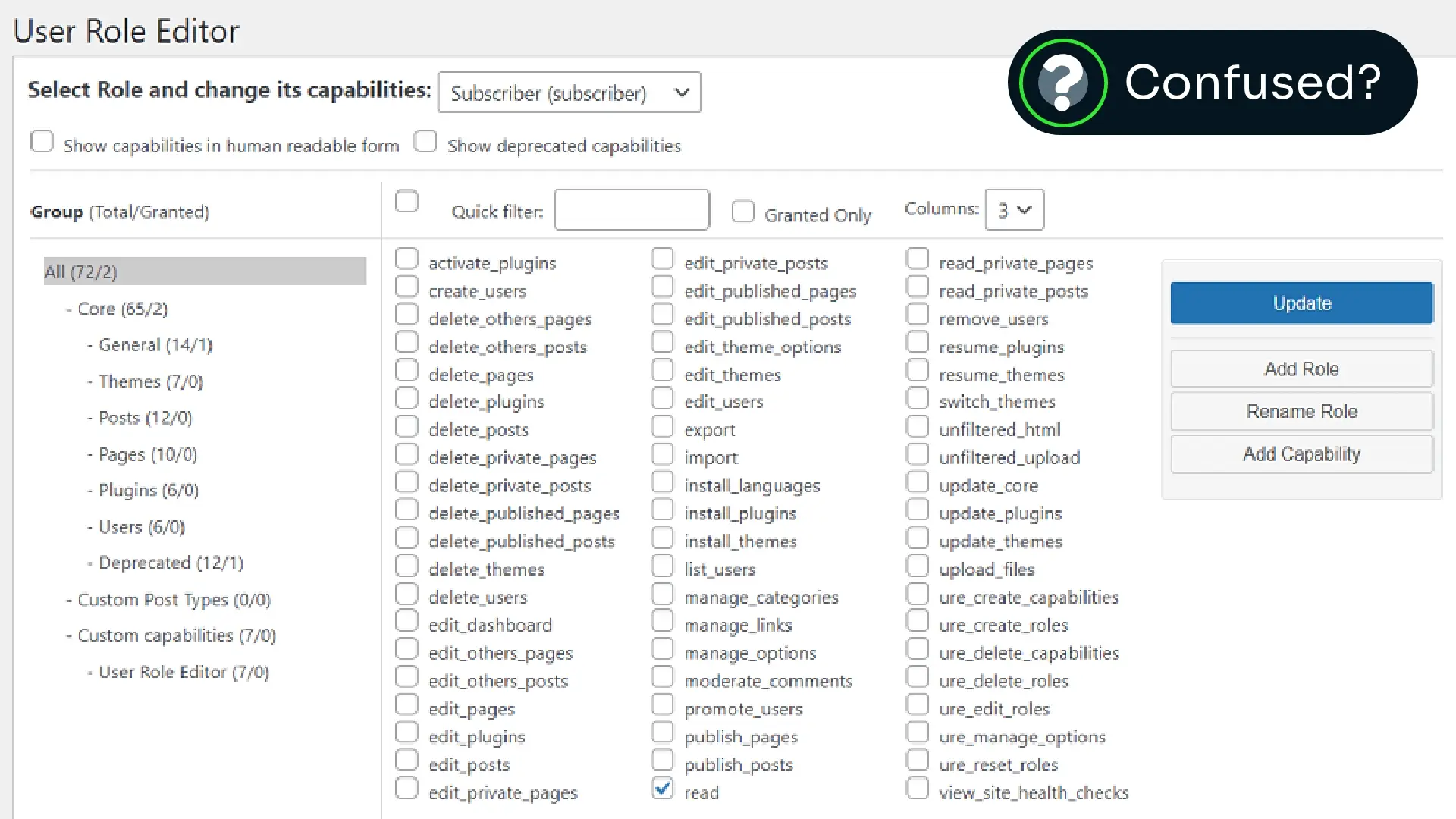
These can work, but they also:
- Add plugin bloat or slow performance
- Require technical upkeep and integration testing
- Get messy when scaling across multiple sites
- Don’t play nicely with other quality-of-life solutions
If you’re managing dozens (or even hundreds) of WordPress installs, that overhead adds up fast.
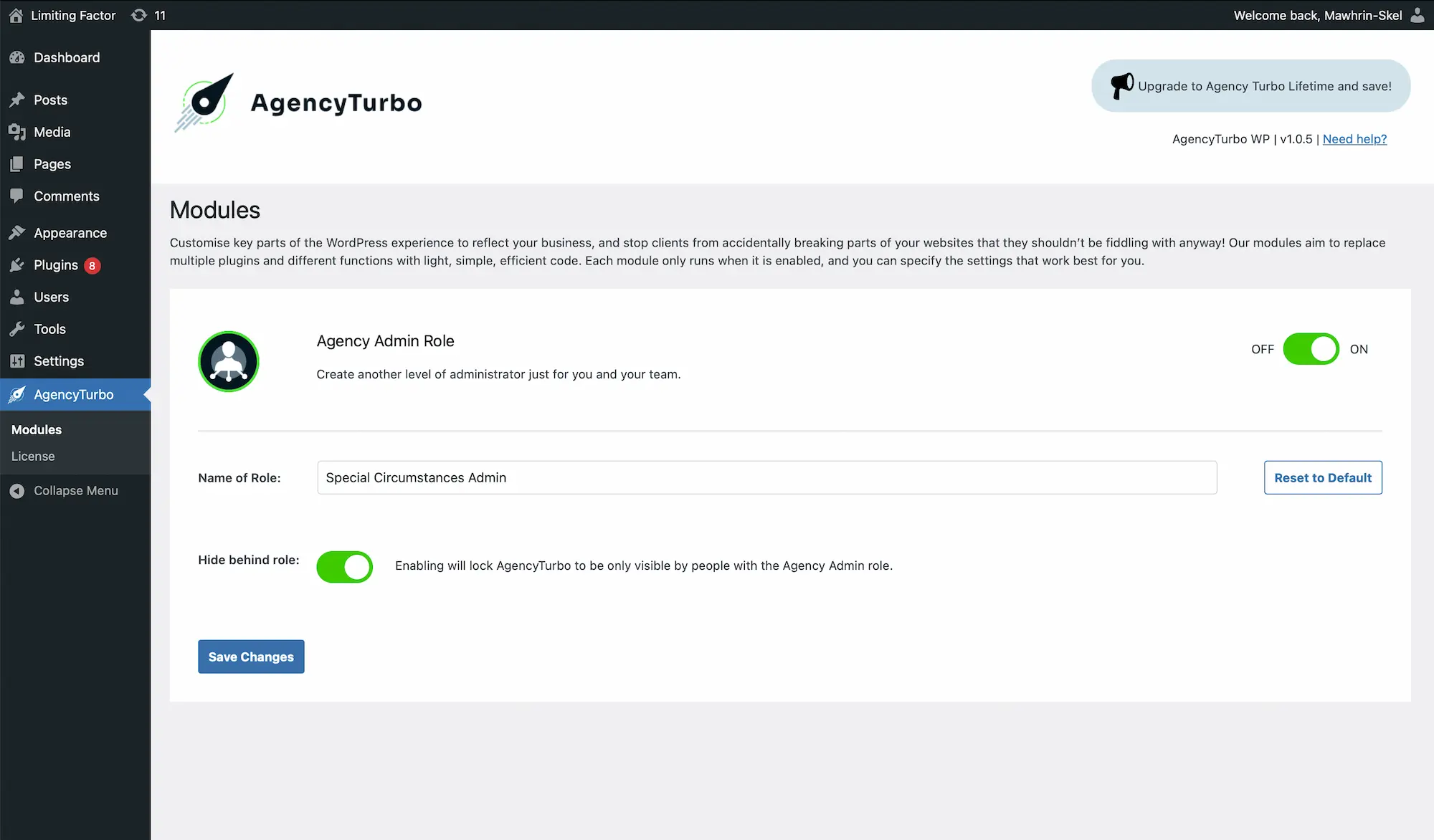
How to Set Up an Agency-Only Admin Role in WordPress with Agency Turbo
The Agency Admin Role module in Agency Turbo gives you a smarter, lighter solution. It creates a dedicated admin role for your agency, with full access, separate from your clients.
Benefits include:
- Full administrator rights, but only assignable by you
- Peace of mind: clients can’t deactivate key plugins or tools
- Better control over the handover process
Not only this, but Agency Turbo’s features are designed to work in tandem with one another as well, should you decide to enable them:
Menu Visibility
Want to limit what clients see in the dashboard? Read our guide to hiding WordPress admin menu items.
White Label
Looking to hide plugin names or authors? Learn about whitelabelling your WordPress admin area.
Why Role Separation Improves Your Workflow
Using an agency-only admin role in WordPress helps you:
- Prevent client errors or interference
- Maintain site security and stability
- Speed up support and troubleshooting
- Scale confidently across all your client sites
It’s one of those small changes that delivers huge value, especially when you’re building systems designed to last.
Conclusion
If you’re tired of duct-taping together role editors and conditional functions just to stay in control of your own sites, it’s time to simplify.
With Agency Turbo, you can create a clean, reliable agency-only admin role in WordPress in seconds — no bloat, no friction, no surprises.
✅ Get Agency Turbo and streamline your agency workflow from day one.